
Showing posts with label CAD. Show all posts
Showing posts with label CAD. Show all posts
Wednesday, September 12, 2012
Entry way bench...
More for shoe storage than to sit on, it's needed with the amount of shoes we have in the house. Probably end up putting bags on it as well. Stay tuned for the full built version in the near future which will be assembled with glue and socket screws. Not sure if I'm going to keep the holes or not.


Tuesday, August 21, 2012
Headphones...
Recreation of a existing pair that are from a cool place here in the Bay Area. I like the retro look and feel. These were created in Solidworks, using surfaces, splines, and all the other goodies. Let me know if you can identify the company. I should think of a prize!
They're missing some of the screws and I haven't split up the parts into separate, shelled, "injection moldable" parts. Maybe tomorrow if I'm not too busy with my SW jobs.

Cheers,
~Rye

Bathroom vanity for builder...
I had the opportunity to design a piece for a construction company that was working on a custom house in the Bay Area. I was responsible for creating something similar to a piece that the client liked, and setting up the drawings for the cabinet shop. Great guys that were building the piece.


Friday, August 17, 2012
New skate helmet...
Again, trying out some surfacing techniques in Solidworks. Now to add some EPS, straps, buckles, etc. Cheers!!!


Spatoon or Spotula?
Couldn't sleep in this morning, so I decided to get up instead and work on Solidworks. Thought I'd make a spoon/spatula combo to try out some surfacing with splines. Take a look!


Friday, June 15, 2012
Sabbi "Seedling" Children's Furniture
Just finished this piece of children's furniture this week. I was really excited to finally see it all put together. Made with Pure Bond plywood that's FSC certified, and free of formaldehyde. Latex paint and water based clear coat. Middle picture is the Solidworks render. Happy Friday!


Sunday, May 6, 2012
Widget...
I'm really liking the 'Ruled Surface' command in Solidworks. I created this "widget" to try out some different techniques with ruled surfaces. Also threw in some ribs and bosses. Maybe I'll create the other half tomorrow. Cheers!


Friday, May 4, 2012
Colander #2
Decided to do an update of the colander as I thought the first shape was a little too deep. I also like the drain holes on this one better, which are positioned correctly for the injection mold process. This version also has the removable center divider. Cheers!


Monday, April 23, 2012
Colander #1
I had this idea for a colander in which there was a removable, center piece separating the colander into two parts. This way you could wash your kale on one side for dinner and blueberries on the other side for dessert. Of course the center piece is removable if you have to wash a large bundle of collard greens.
Cheers! Now go eat some leafy greens. =)

Cheers! Now go eat some leafy greens. =)

Tuesday, April 10, 2012
Autodesk Showcase...
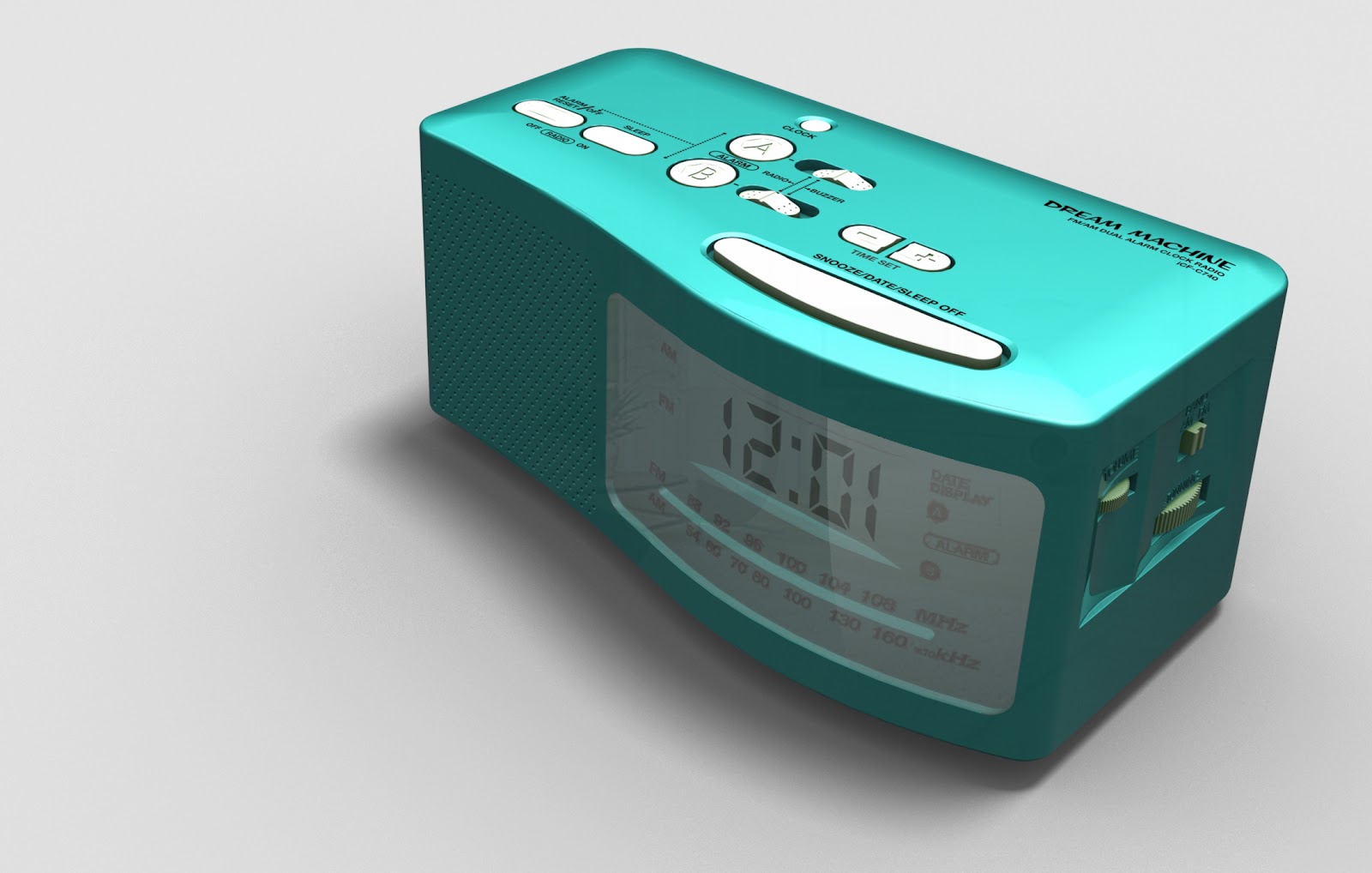
EDIT: Here's the new, updated Dream Machine with all the text added. Created in Solidworks and rendered in Autodesk Showcase. The text was done in Photohop and placed into Showcase as decals.
Cheers!
Monday, April 9, 2012
A day of Solidworks...
Today was a good day to work on a Solidworks project. Almost finished the recreation of the "Dream Machine". Just need to add all the text. First render is in Photoview360 and the other is from a trial version of KeyShot. My student version of KeyShot ran out, so I'll have to settle with having the water marks. Maybe I'll try using Autodesk Showcase later, which is my usual go to.


Sunday, November 13, 2011
My own headphones...
Took what I learned from that great tutorial and made my own pair. Oh, there a few design problems, but I'll take care of those in the next version. These were made using Rhino v5, and rendered in Showcase. As soon as I can pick up a copy of KeyShot, I'll post another render.


Tuesday, November 8, 2011
Headphone render...
Great tutorial on creating a set of headphones in Rhino v5. Check it out here: http://tips.rhino3d.com/. These were then rendered in Autodesk Showcase. I also tried out KeyShot, but since it's only a demo version, it put a pesky watermark on the final render. Looked really good, though.
Cheers!

Cheers!

Friday, September 16, 2011
Stainless steel Bobble in Solidworks.

Subscribe to:
Posts (Atom)